
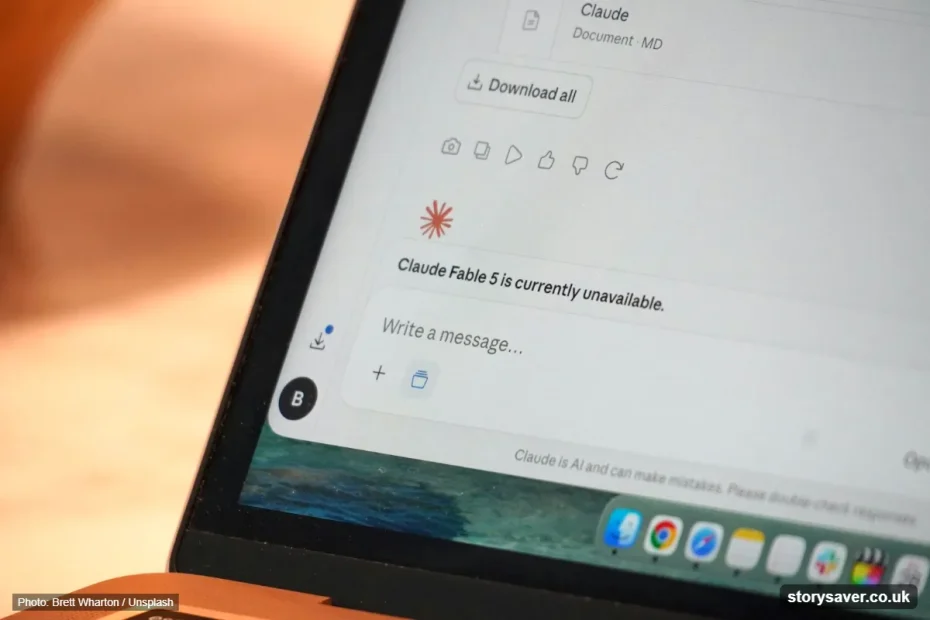
Quick answer: To check if Claude is down, open the official Claude status page at status.claude.com. A green “Operational” label means Claude is up. If the page shows Degraded Performance, Partial Outage or Major Outage, the problem is on Anthropic’s side, so you only need to wait or switch to another tool.
Is Claude down? The fastest way to know is the official Claude status page, which shows the live health of claude.ai, the Claude API and Claude Code. If everything there is green and Claude still doesn’t respond, the issue is usually your browser, network or account limit.
This guide shows you how to read the status page, what each error message means, and what to do while Claude AI is not working.

Is Claude Down Right Now?
Claude down right now checks start with one page: status.claude.com. Anthropic updates this page itself, so it is the most reliable source for confirmed outages. The older address, status.anthropic.com, opens the same page.
Live user reports help too. Sites like Downdetector, StatusGator and HostTracker collect reports from people who see problems at the same time. If reports jump suddenly, an outage is likely starting, often a few minutes before the official page updates.
How to Check Claude Status in 4 Steps
Claude status takes less than a minute to check. Follow these steps:
- Open status.claude.com in any browser.
- Look at the banner at the top. “All Systems Operational” means there is no known outage.
- Scroll to the component list and find the product you use (claude.ai, API or Claude Code).
- Check the incident list below it for an open incident and its latest update.
If the status page is green, move on to the quick checks in the next sections.
Claude Status Page Components Explained
Claude status is split into separate parts, because one product can fail while the others keep working. These are the main components on the page:
| Component | What it covers | Who it affects |
|---|---|---|
| claude.ai | The Claude chat app on web, desktop and mobile | Everyday users |
| Claude Console | platform.claude.com, where developers manage keys and billing | Developers |
| Claude API | api.anthropic.com, the API that apps and tools call | Apps built on Claude |
| Claude Code | The coding tool in the terminal and IDEs | Developers |
A smaller component, Claude for Government, also appears on the page for public-sector users.
What Claude Status Labels Mean
Claude status labels tell you how serious a problem is. Each component shows one of these:
| Label | Meaning | What you see |
|---|---|---|
| Operational | No known problems | Claude works normally |
| Degraded Performance | It works, but slower or less reliably | Slow replies, random errors |
| Partial Outage | Part of the service or some users fail | Some chats or models don’t load |
| Major Outage | The service is broadly down | Claude doesn’t load or respond |
Open incidents also move through stages: Investigating, Identified, Monitoring and Resolved. “Monitoring” usually means a fix is live and Anthropic is watching to make sure it holds.
Claude Status History and Past Outages
Claude status history is listed under “Past Incidents” on the official page, with the date, the affected component and how long each incident lasts. HostTracker counts 36 incidents on the official page in the last 90 days (as of November 2026), and most of them are short model or API issues, not full outages.
This history helps you spot a pattern. If the same component fails often, it is worth having a backup plan for that part of your work.
Is Claude Down or Is It Just You?
Is Claude down for everyone, or only for you? These quick checks answer that in about two minutes:
- Check the status page. Find the exact component you use, not just the top banner.
- Try another model. If one Claude model fails and another works, the problem is model-specific and usually temporary.
- Open a private window. This rules out a bad extension, cookie or cached file.
- Switch your network. Move from Wi-Fi to mobile data to rule out a local connection problem.
- Look at live reports. A spike on Downdetector or StatusGator means others see the same issue.
If all checks pass on your side, the cause is almost always on Anthropic’s end.
Claude Outage Maps and User Reports
Claude outage maps show where users report problems right now. Downdetector and Entireweb show a world map and a 24-hour chart of reports, while StatusGator and HostTracker add their own checks from many locations.
These tools are useful for speed, but they are based on reports, not confirmed data. A small number of reports is normal every day. A sudden spike from many countries is the real sign of an outage.
Common Claude Error Messages and What They Mean
Claude error messages don’t always mean Claude is down. This table shows the most common ones:
| Error message | What it usually means | What to do |
|---|---|---|
| “Due to unexpected capacity constraints, Claude is unable to respond” | High demand, not a full outage | Wait a few minutes or switch models |
| “Something went wrong” | A failed request or short service issue | Refresh, then check the status page |
| Usage limit or “message limit reached” | You reach your plan’s limit for now | Wait for the reset time shown in the app |
| API error 429 (rate_limit_error) | Your app sends too many requests | Slow down requests and retry with backoff |
| API error 529 (overloaded_error) | The API is temporarily overloaded | Retry after a short wait |
| API error 500 (api_error) | An internal error on Anthropic’s side | Retry, then check status.claude.com |
Anthropic lists every API error code in its official API error docs.
Why Claude Goes Down
Claude down moments usually come from a few common causes:
- Capacity limits: too many people use Claude at once, especially after a new model launch.
- Single-model errors: one model fails while the others keep working.
- API overload: heavy app traffic slows or blocks API requests.
- Login problems: sign-in or account services fail, even when chat itself is fine.
- Planned maintenance: Anthropic posts these windows on the status page in advance.
How to Fix Claude Not Working
Claude AI not working while the status page shows green? Try these fixes in order:
- Refresh the page or restart the app.
- Clear your browser cache and cookies for claude.ai.
- Try a different browser or device.
- Turn off extensions, especially ad blockers and VPNs.
- Check your internet connection by opening other websites.
- Log out and log back in if chats or Projects don’t load.
- Contact Claude support through the help center if nothing works.
Claude.ai Down vs Claude API Down
Claude.ai and the Claude API run as separate services, so one can be down while the other works. If you use Claude in the browser, check the claude.ai component. If you use an app or tool built on Claude, check the Claude API component, because that app depends on the API, not on claude.ai.
This is why a friend can say “Claude works fine for me” while your app shows errors. You may simply be using different parts of the service.
What to Do While Claude Is Down
Claude outages usually stop access for a while, but they don’t delete your saved chats. Protect your work first:
- Copy the last reply or Artifact before you refresh, because an unfinished reply can disappear.
- Note your Project name and files, so you can pick up quickly later.
- Save Claude Code output and commit your changes before retrying the session.
- Use another AI tool for urgent tasks, such as ChatGPT, Gemini or Microsoft Copilot.
Want to explore more AI tools for these moments? Browse our AI tool guides and reviews.
If your team depends on Claude for daily work, an outage is a good reminder to plan ahead: pick a backup tool and decide who makes the call. We cover this in our guide on why AI transformation is a problem of governance.
Get Free Official Claude Status Alerts
Claude status alerts are free on the official page, and most people don’t know it. Click “Subscribe to updates” on status.claude.com and choose email, SMS, Slack, a webhook or an RSS feed. You then get a message the moment Anthropic opens or resolves an incident, so you don’t need to keep checking third-party sites.
Frequently Asked Questions
Is Claude down right now?
Check status.claude.com for the live answer. If every component shows “Operational” and there is no open incident, Claude is up. If Claude still fails for you, the cause is usually your browser, network, a single model or your usage limit, so try the quick checks above.
Where is the official Claude status page?
The official Claude status page is status.claude.com. The older address, status.anthropic.com, opens the same page. Anthropic updates it with live component status, open incidents, past incidents and planned maintenance, so it is the most reliable place to confirm an outage.
Why does Claude not work when the status page is green?
The status page shows confirmed, wide problems. A local issue, a cached file, an extension, a VPN or a reached usage limit can stop Claude only for you. Short model errors also appear before the page updates, so live user reports can show a problem a few minutes earlier.
How long do Claude outages usually last?
Most Claude incidents are short and get resolved within minutes to a few hours. Major outages are rare. The official status page shows the duration of every past incident, so you can see how long similar problems usually take to fix.
Will I lose my chats if Claude goes down?
No, saved chats and Projects usually stay safe during an outage. The risk is an unfinished reply or an unsaved Artifact that is still loading. Copy anything important on your screen before you refresh the page.
Is “capacity constraints” the same as Claude being down?
No. A capacity message means Claude is busy and can’t take your request right now. The service still runs, and the message usually goes away within a few minutes. Switching to another model or trying again shortly often works.
Bookmark this guide and the official status page, so the next time Claude stops responding you know exactly where to look. For more free tools and AI guides, visit our free online tools.