
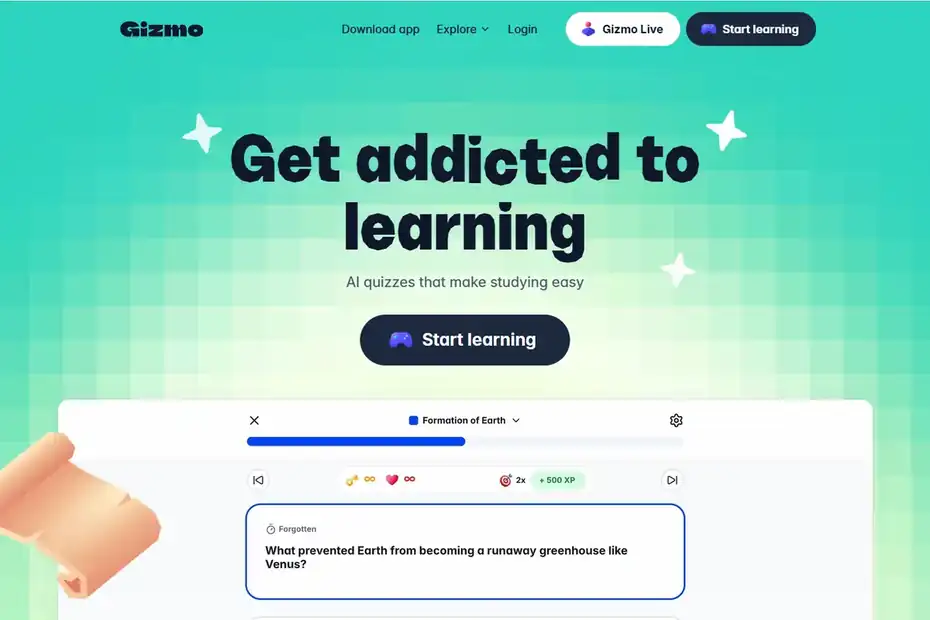
Gizmo AI is an AI study app that turns your notes, PDFs, slides, YouTube videos and existing Anki or Quizlet decks into flashcards and quizzes. It then uses spaced repetition to tell you what to review and when. You can use it free with daily limits, or pay for Gizmo Unlimited to remove them.
This review covers how the app works, what each plan costs, how its “lives” system affects free users, how it compares with Anki and Quizlet, and what to do when it stops working. You’ll also find the exact steps to cancel a subscription.
Gizmo AI at a glance
- Free plan: 15 lives a day and up to 10 AI quizzes a day
- Unlimited: $13.99 a week or $155.22 a year (students pay half)
- Imports: Anki, Quizlet, PDFs, PowerPoint and YouTube
- Rating: 4.8 stars on the US App Store, rated 13+
- Cancelling: through Apple or Google Play, deleting the app is not enough
Not the same as ExploreLearning Gizmos. If you’re looking for the interactive science simulations used in schools, that’s a different product from a different company. This guide covers the Gizmo AI flashcard app found at gizmo.ai.
What Is Gizmo AI?
Gizmo AI is a learning app from GIZMO AI LTD, available on iPhone, iPad, Android and the web. Its App Store listing is titled “Gizmo: AI Tutor,” and its core job is simple: you give it study material, and it produces questions that test you on that material.
Three ideas sit behind the app:
- Active recall: Instead of rereading notes, you answer questions, which makes your brain retrieve the information.
- Spaced repetition: The app brings cards back just before you’re likely to forget them.
- Gamification: Streaks, leaderboards and a lives system push you to keep studying.
The app was previously known as Save All. The App Store URL still carries the old “save-all” name in some regions. In April 2026, Gizmo announced a $22 million Series A and said it had more than 13 million learners in over 120 countries.
On the US App Store, the app has a 4.8-star rating from about 16,000 ratings (checked November 2026).
How Gizmo AI Works
Getting from a pile of notes to a working quiz takes a few minutes. Here’s the basic flow:
- Sign up or log in. Download the app or go to gizmo.ai, then create an account. The Gizmo AI login works with the same account on mobile and the web, so your decks sync between devices.
- Add your material. Upload a PDF or PowerPoint file, paste notes, link a YouTube video, scan handwritten pages with your camera, or import a deck from Anki or Quizlet.
- Let the AI generate questions. Gizmo AI creates flashcards and quiz questions, including multiple-choice and written answers.
- Study. Answer the questions. The app tracks what you get right and wrong.
- Review on schedule. Spaced repetition decides which cards to show you next and when to bring older cards back.
If you’d rather not build your own deck, you can study from the public library of pre-made decks, which the App Store listing says contains more than 1,000,000 decks.
Key Gizmo AI Features
| Feature | What it does | Who it helps most |
|---|---|---|
| AI flashcards | Turns notes, files and videos into flashcards | Anyone with lots of reading material |
| AI quiz maker | Builds multiple-choice and written questions | Students preparing for exams |
| Gizmo AI tutor | Explains answers and helps you through hard topics | Learners who get stuck on concepts |
| Scan notes | Converts photos of handwritten notes into cards | Students who take notes on paper |
| Imports | Brings in Anki and Quizlet sets, PDFs, YouTube and PowerPoint | People switching from another app |
| Spaced repetition | Schedules reviews for long-term memory | Long courses and language learning |
| Public decks | 1M+ shared decks to study for free | Common subjects and standard exams |
| Leaderboards and games | Adds competition and streaks | Anyone who needs motivation |
AI Flashcards and Quizzes
The flashcard generator is the main reason people use Gizmo AI. Instead of typing every question yourself, you upload a chapter and get a ready-made deck. The quality depends on your source. Clear, well-structured notes produce sharper questions than messy or very long files, so it’s worth editing any card that looks off.
Gizmo AI Tutor
The AI tutor works like a study assistant inside the app. When you get a question wrong or don’t understand a concept, you can ask for an explanation. It’s useful for working through a difficult topic, but like any AI tool, it can make mistakes, so check important facts against your course material.
Imports From Anki, Quizlet, PDFs and YouTube
Imports make it easy to switch. If you already have years of Anki decks or Quizlet sets, you can bring them in rather than starting over. You can also turn lecture slides, PDF readings and YouTube lectures into study material.
Gizmo AI App and Platforms
You can use Gizmo AI on:
- iPhone and iPad (iOS/iPadOS 16.4 or later, per the App Store)
- Android (Google Play)
- Web at gizmo.ai, which is the easiest option if you want to use Gizmo AI on a PC or Mac
On a laptop or desktop, the web version runs in your browser, so there’s nothing extra to install.
Is Gizmo AI Free? Pricing Explained
Yes, Gizmo AI has a free plan, and many students never need to pay. The free tier has daily limits, though, and Gizmo Unlimited removes them.
| Plan | Price (USD) | What you get |
|---|---|---|
| Free | $0 | 15 lives per day (they refill over time), up to 10 AI-generated quizzes per day, limited flashcards and AI tutor use |
| Unlimited (weekly) | $13.99/week, or $6.99/week with the student discount | Unlimited lives, quizzes, AI tutor, flashcards and imports |
| Unlimited (yearly) | $155.22/year (about $2.98/week), or $77.22/year with the student discount | Same as weekly, billed once a year |
Prices come from The Front Desk Review (updated September 2026) and the App Store’s in-app purchase list. The App Store lists Gizmo Unlimited options from $6.99 to $154.99, plus coin packs from $1.99 to $9.99. Prices can change and may vary by country, so check the app before you subscribe.
Free vs. Unlimited at a Glance
- Stay on the free plan if you study for 15–30 minutes a day and mostly use pre-made or imported decks.
- Consider Unlimited if you generate a lot of new quizzes, study for long sessions before exams, or find the lives limit interrupting you.
- Choose yearly over weekly if you plan to use it for a whole semester or longer. Weekly billing costs far more over time.
So, does Gizmo AI cost money? Only if you want to remove the limits.
Gizmo Lives (Hearts) Explained
Lives (also called hearts) are how the free plan limits usage, and most reviews barely mention them.
- You start each day with 15 lives.
- Each wrong answer costs one life. Correct answers don’t cost anything.
- Lives refill over time. The Front Desk Review reports one life returning about every 10 minutes. Some App Store reviewers say they had to wait a few hours after running out.
- Gizmo Unlimited gives you unlimited hearts, so wrong answers never pause your session.
The system is meant to make you think before you answer, but it can be frustrating when you’re learning brand-new material and getting a lot wrong. A practical workaround is to read through new cards first, then start the quiz once you’re more confident.
Pros and Cons of Gizmo AI
| Pros | Cons |
|---|---|
| Turns notes, PDFs and videos into flashcards in minutes | The free plan’s lives limit can interrupt study sessions |
| Imports Anki and Quizlet decks | Weekly pricing is expensive if you forget to cancel |
| Spaced repetition is built in | AI-generated questions sometimes need editing |
| Large library of free public decks | Gamification may feel distracting to some learners |
| Works on iOS, Android and the web | The app collects some personal data (see the safety section) |
| Strong App Store rating (4.8 from 16K ratings) | Less customizable than Anki for power users |
Gizmo AI vs. Anki vs. Quizlet
| Gizmo AI | Anki | Quizlet | |
|---|---|---|---|
| AI-generated cards from files | Yes | No (manual or add-ons) | Yes, on paid plans (Magic Notes turns pasted notes into cards) |
| Spaced repetition | Yes | Yes (highly customizable) | Partly (Learn mode brings back cards you keep missing) |
| Imports from other apps | Anki, Quizlet, PDFs, YouTube, PPT | Anki formats and add-ons | Mainly pasted text |
| Gamification | Lives, streaks, leaderboards | Minimal | Games and match modes |
| Free use | Yes, with daily lives | Free on desktop, Android and web; paid iOS app | Yes, with ads and a limited Learn mode (Plus is about $35.99/year) |
| Best for | Fast deck creation and motivation | Long-term, highly customized study | Classroom sets and quick practice |
In short: Choose Gizmo AI if you want the app to build decks for you. Choose Anki if you want full control over scheduling and card design. Choose Quizlet if your class already shares sets there. Because Gizmo AI imports Anki and Quizlet decks, you can try it without losing your existing work.
Is Gizmo AI Safe?
Gizmo AI is a legitimate app from GIZMO AI LTD, published on both the App Store and Google Play. For most students, it’s safe to use, but there are a few things you should know:
- Age rating: The US App Store rates it 13+, with in-app controls for messaging and user-generated content.
- Data collection: According to the developer’s App Store privacy label, the app may collect your name, email address, phone number, coarse location, contacts and user/device IDs. The listed purposes are app functionality and personalization. Apple doesn’t verify these labels.
- AI accuracy: The AI tutor and generated questions can contain errors, so check key facts against your textbook.
- Subscriptions: Weekly plans renew automatically. Set a reminder if you’re only trying Unlimited for a short time.
Parents of younger teens should review the privacy settings with them and decide whether they’re comfortable with contacts access.
Gizmo AI Not Working? Quick Fixes
If Gizmo AI won’t load, shows “Something went wrong,” or won’t let you sign in, try these steps in order:
- Check whether Gizmo AI is down. Try gizmo.ai in a browser. If the website also fails, the problem is probably on Gizmo’s side, so wait and try again later. (It’s the same first step we recommend in our guide on checking whether Claude is down.)
- Restart the app. Fully close it and reopen it.
- Update the app. Older versions can stop working after server changes.
- Check your connection. Switch between Wi-Fi and mobile data.
- Log out and log back in. This fixes many login and sync errors.
- Clear the cache (Android) or reinstall the app (iPhone). Your decks are stored in your account, so they should come back after you log in.
- Try the web version. If the app fails but the website works, the issue is with the app on your device.
- Contact support. If nothing works, use the help or support option in the app’s settings.
How to Cancel Your Gizmo AI Subscription
Deleting the app does not cancel your subscription. Cancel through the store you paid with.
On iPhone or iPad:
- Open Settings.
- Tap your name (Apple ID) at the top.
- Tap Subscriptions.
- Select Gizmo.
- Tap Cancel Subscription and confirm.
On Android:
- Open the Google Play Store.
- Tap your profile picture, then Payments & subscriptions.
- Tap Subscriptions.
- Select Gizmo.
- Tap Cancel subscription and follow the prompts.
You’ll usually keep Unlimited access until the end of the current billing period. If you subscribed on the web, cancel from your account settings at gizmo.ai.
Who Should Use Gizmo AI?
Gizmo AI is a good fit for:
- High school and college students with a lot of notes and slides to review
- Exam preppers who want quick quizzes from their textbook chapters
- Anki or Quizlet users who want AI-generated decks without starting from scratch
- Learners who need motivation, since streaks and leaderboards help build a habit
It’s less suited to people who want deep control over review intervals and card templates. Anki still does that better.
Apps Like Gizmo AI
If Gizmo AI doesn’t suit you, these are the main alternatives:
- Anki: Free, powerful spaced repetition with full customization.
- Quizlet: Popular for shared class sets and practice games.
- Knowt: Turns notes and videos into flashcards; often compared with Quizlet.
- RemNote: Combines note-taking and spaced repetition in one app.
Is Gizmo AI Worth It? Final Thoughts
For most students, Gizmo AI is worth trying because the free plan is genuinely usable. It’s at its best when you need to turn a large amount of material into practice questions quickly, and the Anki and Quizlet imports make switching easy.
Paying makes sense only if the lives limit regularly cuts your sessions short. If you upgrade, the yearly plan (especially with the student discount) is far better value than weekly billing.
What do users say? Its 4.8-star App Store rating suggests most users are happy.
More AI app reviews on Story Saver
Frequently Asked Questions
Is Gizmo AI free?
Yes. The free plan gives you 15 lives a day and up to 10 AI-generated quizzes a day, with limited flashcards and AI tutor use. Gizmo Unlimited removes those limits.
How much does Gizmo AI cost?
Gizmo Unlimited costs $13.99 a week or $155.22 a year. With the student discount, those prices drop to $6.99 a week or $77.22 a year. Prices can vary by country and may change.
Is Gizmo AI safe for students?
It’s a legitimate app rated 13+ on the US App Store. It collects some personal data, such as your name, email address, contacts and approximate location, so review its privacy policy before signing up.
What was Gizmo AI called before?
Gizmo AI was previously called Save All.
Is Gizmo AI better than Anki?
It depends on what you want. Gizmo AI is faster at building decks for you and adds motivation features. Anki gives you more control over spaced repetition. Since Gizmo can import Anki decks, you can test both.
What are lives or hearts in Gizmo AI?
Lives limit free usage. You lose one for each wrong answer, they refill over time, and Gizmo Unlimited gives you unlimited hearts.
Why is Gizmo AI not working?
Common causes include an outdated app, a weak connection, a sign-in problem or a temporary outage. Update the app, log out and back in, and check whether gizmo.ai loads in a browser.
Does deleting the app cancel my Gizmo subscription?
No. You need to cancel through Apple’s subscription settings, the Google Play Store or your Gizmo web account.