
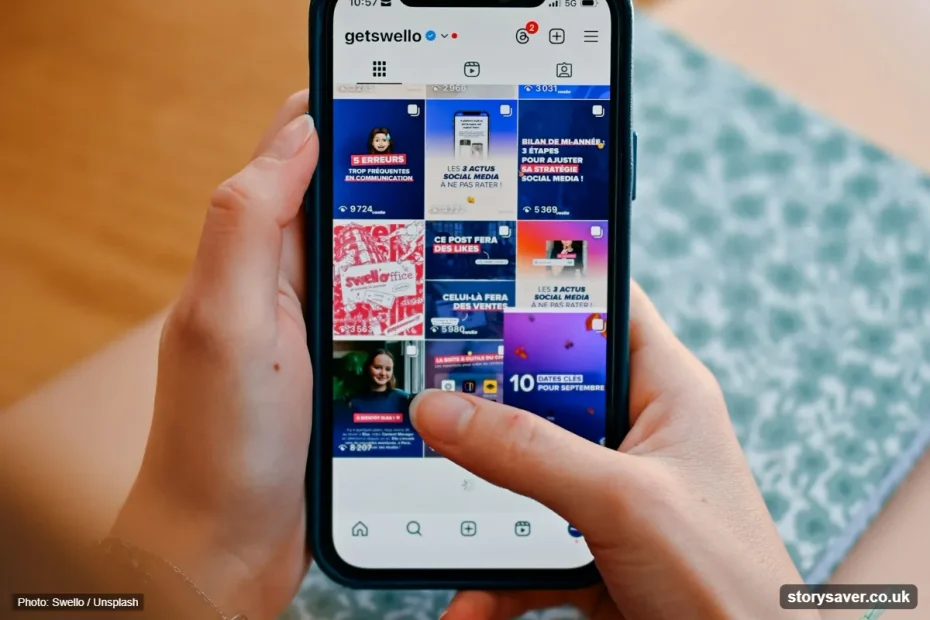
Quick answer: Your Instagram username is the unique @handle in your profile link, and it only accepts letters, numbers, periods and underscores (up to 30 characters). Your Instagram name is the bold display name on your profile. It doesn’t have to be unique, and it can include spaces, capitals, emojis and styled fonts.
Your Instagram name is the bold text on your profile, and your username is the unique @handle that builds your profile link. The name can take spaces, capitals, emojis and fancy fonts, while the username only accepts plain letters, numbers, periods and underscores.
That’s the short version of Instagram name vs username. The details matter if you’re setting up a brand account, cleaning up an old profile, or wondering why your cursive name doesn’t show up in search. Below I’ll cover the rules, the limits, what Meta changed recently, and what I’d actually put in each field.
Instagram Name vs Username: The Core Difference
An Instagram username is your unique @handle. It appears in your profile URL (instagram.com/username), in tags, mentions and comments, and only one account can hold it at a time. Your Instagram name is the bold display name on your profile. It doesn’t have to be unique, it can include spaces, capitals and emojis, and Instagram search looks at it too.
Think of it this way. The username is your address. The name is the sign on the door.
| Username (@handle) | Name (display name) | |
|---|---|---|
| What it is | Your unique account ID | The bold label on your profile |
| Unique? | Yes, one account per handle | No, thousands of people can be “Sarah Kim” |
| Length | Up to 30 characters | Short, commonly reported at around 30 characters |
| Allowed characters | Letters, numbers, periods, underscores | Letters, spaces, capitals, emojis, most symbols |
| Fancy Unicode fonts | No | Yes |
| Capital letters | Not case-sensitive, shown in lowercase | Keeps your capitals |
| Part of your profile URL | Yes | No |
| Used for tags and mentions | Yes | No |
| Searchable in Instagram | Yes | Yes |
| How often you can change it | No clear published cap | Usually twice in 14 days |
What Is an Instagram Handle?
An Instagram handle is your username; the @name people type to tag, mention, or find you. “Handle” is the casual word, and “Username” is the label Instagram uses in Edit Profile. Same field, two names.
So the Instagram handle meaning is simple: it’s the part after the @. If a giveaway form asks for your “IG handle,” give it @tessbakes, not “Tess Rivera.” The @ symbol itself isn’t part of the username. It’s just how Instagram tells a mention apart from normal text.
Where Your Name and @Username Show Up
Your username sits at the top of your profile, at the end of your profile link, next to every comment you leave, and anywhere someone tags you. Your name shows in bold under your profile picture, and it often appears under the handle in search results too.

Want a real-world check? Open Nike’s page. The link is instagram.com/nike, so “nike” is the handle. The bold line under the photo is the name, and brands often use it for a longer label than the handle allows.
Here’s a quick map of where each one appears:
| Place on Instagram | Shows username | Shows name |
|---|---|---|
| Top of your profile | Yes | No |
| Under your profile picture | No | Yes (bold) |
| Profile link (instagram.com/…) | Yes | No |
| Comments and likes lists | Yes | No |
| Tags and @mentions | Yes | No |
| Search results | Yes | Yes, usually under the handle |
Because the handle is the stable ID, most tools run on it. When you view Instagram stories anonymously by username, you type the @handle, never the display name. The same goes for when you save someone’s Instagram profile picture in full size. Same goes for checking older content with an Instagram old stories viewer.
Why the Difference Matters
The split affects how people find you, link to you and tag you.
Search. Instagram search looks at both fields. Your name field is the better spot for a keyword because it allows spaces. “Tess Rivera | Chicago Cakes” can match someone typing “chicago cakes,” while @tessbakes stays short and easy to remember.
Links. Your handle is your URL. Change it and instagram.com/oldname stops pointing to you, including the link on your business cards, your email signature and every bio link you’ve posted elsewhere.
Tags. People mention you with the handle. A guessable username means more correct tags and fewer misspelled ones that go nowhere.
Trust. Fake accounts often copy a real person’s display name exactly, because names aren’t unique. The handle is the thing that gives them away. If you’re checking whether an account is real, look at the @username first, not the bold name.
Honestly, most messy profiles I come across have the same problem. The owner typed the handle into both fields (“tessbakes” and “tessbakes”), which wastes the one spot that lets you add context.
Instagram Username Rules: What the @Handle Accepts
An Instagram username can be up to 30 characters long and can only contain letters, numbers, periods and underscores. That’s the rule almost every guide agrees on, and it matches what Instagram’s username box lets you save. Here’s the full set:
- Length: 1 to 30 characters.
- Characters: a to z, 0 to 9, period (.) and underscore (_). No spaces, hyphens, @, #, apostrophes or emojis.
- Periods: no two periods in a row, and the handle can’t end with a period.
- Case: not case-sensitive. @TessBakes and @tessbakes are the same handle.
- Uniqueness: if another account already holds it, it’s taken. Changing the capitalization won’t free it up.
Here’s how that plays out with real attempts:
| Handle you try | Accepted? | Why |
|---|---|---|
| tess.bakes | Yes | Letters and one period |
| tess_bakes_chi | Yes | Underscores are fine |
| tessbakes2026 | Yes | Numbers are fine |
| tess-bakes | No | Hyphens aren’t allowed |
| tess..bakes | No | Two periods in a row |
| tessbakes. | No | Ends with a period |
| tess bakes | No | Spaces aren’t allowed |
| 𝓽𝓮𝓼𝓼𝓫𝓪𝓴𝓮𝓼 | No | Styled Unicode letters aren’t plain letters |
One tip that saves real embarrassment: read your handle out loud before you save it. Words without spaces can split the wrong way. “speedofart” is meant to be “speed of art,” and it doesn’t always read that way. A period fixes it: @speed.of.art.
Periods and underscores look similar on a small screen, by the way. If you use one, stick to it. @tess_bakes and @tess.bakes are two different handles, and people will mix them up.
What You Can (and Can’t) Style in Your Instagram Name
Your Instagram name is the field you’re allowed to style. It accepts capital letters, spaces, emojis, symbols like | or •, and copy-paste Unicode “fonts” such as 𝐛𝐨𝐥𝐝 or 𝓼𝓬𝓻𝓲𝓹𝓽, the kind you can make with an Instagram font generator. The username field accepts none of that.
Just because you can doesn’t mean you should, though. Those fancy fonts aren’t real fonts. They’re separate Unicode characters that look like letters, and that causes two problems:
- Search may miss you. A search for “bakery” won’t necessarily match “𝐛𝐚𝐤𝐞𝐫𝐲,” because they’re different characters.
- Screen readers stumble. Depending on the phone, VoiceOver or TalkBack may read styled letters one by one, announce them as math symbols, or skip them.
Some styles also show up as empty boxes on older phones that don’t have the right characters installed. You won’t see it on your own screen, which is why it catches people out.
My rule: style one decorative word if you really want to, and keep your real name and keyword in plain text. “Tess Rivera ✦ 𝓒𝓪𝓴𝓮𝓼” is fine. “𝓣𝓮𝓼𝓼 𝓡𝓲𝓿𝓮𝓻𝓪” on its own makes you harder to find.
A few limits still apply to the name. It’s short (commonly reported at about 30 characters, spaces included), it can’t be used to impersonate someone else, and if you subscribe to Meta Verified, your profile name has to match your government ID.

How to Change Your Instagram Name or Username
You change both fields from Edit profile in the app or through Accounts Center on the web. Instagram’s own help page on updating your profile information covers the same path.
In the Instagram app (iPhone or Android):
- Open Instagram and tap your profile picture in the bottom right.
- Tap Edit profile.
- Tap Name to change your display name, or Username to change your @handle.
- Type the new text. For a username, Instagram tells you right away if it’s taken.
- Tap Done (iPhone) or the checkmark (Android) to save.
On a computer:
- Go to instagram.com and log in.
- Click More, then Settings. Depending on your account, you may need to open Accounts Center from there.
- Click Profiles and pick your Instagram account.
- Click Name or Username, make the change, and click Done.
Change Limits and the 14-Day Rules
The display name is the field with a firm cap: most accounts can change it twice within 14 days. Meta spells this out for Meta Verified creators, and it’s widely reported for regular accounts too. Instagram doesn’t publish a clear number for username changes, and guides disagree, so treat your handle as something you set once and leave alone.
| Name | Username | |
|---|---|---|
| How often you can change it | Usually twice in 14 days | No clear published cap; avoid repeated changes |
| Can you switch back later? | Yes, any time within the limit | In most cases, if nobody else has claimed it |
| Verified accounts | Meta Verified name edits go through review | Instagram says verified accounts can’t change it |
If you’re testing ideas, test them in your Notes app first. Burning both name changes on typos is a common mistake, and it’s easy to avoid.
What Happens After You Change Your Username
Your followers, posts, DMs and Highlights stay put, because it’s the same account with a new label. Here’s what does change:
- Your profile URL switches to the new handle right away, and links to the old one break.
- Older captions and comments that mention your previous handle may stop leading to you.
- Your old username becomes available again. Instagram’s Help Center says that in most cases you can switch back to a username you’ve used before, but once someone else claims it, it’s gone.
- If you’ve blocked someone, changing your username stops them from being able to mention you, according to Instagram’s Help Center.
That third point is the risky one. Popular short handles get grabbed fast, so don’t drop a good username “just to try something.”
Name and Username Across Meta Apps
This is where a lot of guides are out of date, so here’s how it works now across Facebook, Accounts Center and Threads.
Facebook and Accounts Center. Meta used to let you sync your name and username between Facebook and Instagram. That’s changed. Meta’s newer Accounts Center help page says you can still sync your profile picture, but names and usernames no longer sync. Some older Meta pages still describe name syncing, which is where the confusion comes from. In practice, change your Instagram name inside Instagram.
Threads. If you created your Threads profile with Instagram, it started out with your Instagram username. Meta has since added ways to edit the username from inside Threads, so after any rename, open both apps and check that they still match the way you want.
Verified badges. Instagram’s verification rules tell you to settle on your username before you apply, because a verified account can’t change it afterward. With a paid Meta Verified subscription, changing your username may mean going through verification again.
Common Problems and Fixes
Most name and username issues come down to a rule you can’t see until you run into it. These come up most often:
| Problem | Likely cause | Fix |
|---|---|---|
| “This username isn’t available” | Taken, reserved or recently released | Add a period, underscore, city or niche word (tess.bakes.chi) |
| Can’t save a new name | You’ve used both changes in 14 days | Wait for the window to reset and update your bio meanwhile |
| Username won’t save | A hyphen, space, emoji or double period | Strip it back to letters, numbers, periods and underscores |
| Name shows as empty boxes | That Unicode style isn’t supported on some phones | Switch to a common style (bold, italic) or plain text |
| People can’t find you by name | Your name is written in styled letters | Keep your real name and keyword in plain text |
| The handle you want looks abandoned | An inactive account still owns it | Pick an available variation rather than waiting |
About that last one. A lot of people wait months hoping a dead account’s handle frees up. It rarely works out. A small variation you can use today beats a perfect handle you might never get.

How to Pick a Name and Username That Work Together
The best setup uses the username for identity and the name for context. Don’t make them identical, because that wastes the name field.
Some combos that work:
- Creator: @tessbakes + “Tess Rivera | Chicago Cakes”
- Local shop: @harborbrew + “Harbor Brew Coffee • Austin”
- Freelancer: @jordan.edits + “Jordan Lee | Video Editor”
- Personal account: @sam.ortiz + “Sam 🌵”
A few more things worth doing:
- Keep the handle short, and ideally use the same one on TikTok and X so people can guess it. X caps usernames at 15 characters, so a short handle travels better.
- Skip random numbers when you can. @tessbakes beats @tessbakes8842 every time.
- Treat your profile photo as part of the set. Name, handle and picture are what people recognize together, so it helps to know what PFP means on Instagram and pick one that fits.
- Check the handle on other apps before you commit. Getting the same @ everywhere is easier on day one than after you’ve grown.
- If you’re rebranding, change the name, handle, bio and your planned Instagram grid layout in the same session so the profile tells one story.

Frequently Asked Questions
Is an Instagram name the same as a username?
No, they’re two separate fields. Your username is the unique @handle in your profile link and the one people tag. Your name is the bold display text on your profile, which can include spaces, capitals and emojis. Lots of accounts can share a name, but every username belongs to exactly one account.
Can two accounts have the same Instagram name?
Yes. Display names don’t have to be unique, so any number of accounts can be called “Alex Rivera.” That’s exactly why the username exists: it’s the one thing that tells accounts apart. If you’re worried about copycats, a verified badge and a consistent handle across platforms help people find the real you.
Can I use fancy fonts or emojis in my Instagram username?
No. Usernames only accept plain letters, numbers, periods and underscores, so styled Unicode letters and emojis get rejected. Put them in your name field instead. Just keep your real name or main keyword in plain text there too, because styled characters may not match what people type into Instagram search.
How many times can I change my Instagram name?
Most accounts can change their display name twice within 14 days. Meta states that limit for Meta Verified creators, and it’s widely reported for regular accounts as well. Once you hit it, the Name field won’t save until the window resets, so test the wording somewhere else before you commit.
Can I get my old Instagram username back?
Usually, if you act fast. Instagram’s Help Center says that in most cases you can switch back to a username you’ve used before. The catch is that your old handle becomes free for anyone once you drop it. If someone else claims it first, it’s gone, so don’t give up a good handle lightly.
Will I lose followers if I change my Instagram username?
No. Your followers, posts, Reels and messages all stay on the account, because it’s the same account with a new handle. What you can lose is findability for a while. Old profile links stop working, so update your bio links, email signature and other platforms on the same day.
Is the Instagram name field searchable?
Yes. Instagram search looks at both your username and your name, which is why the name field is a good home for a keyword. Something like “Dana Cho | Denver Wedding Photographer” can match searches your handle never would. Keep it readable, though; stuffing five keywords in looks spammy.
If you only fix one thing today, make it your name field: your real name in plain text, a separator, and the one keyword people would actually search. Keep the handle short and leave it alone once it works. When you’re ready to do more with the profiles you follow, browse our free Instagram tools and pick the one that fits.