
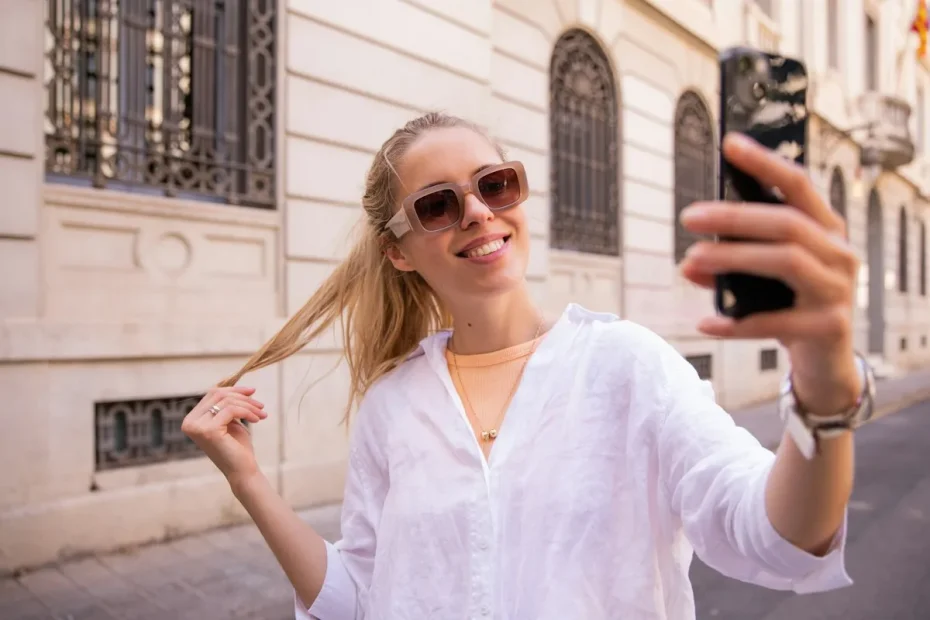
Here’s the quick version. Grab a selfie you actually like, drop it into ChatGPT or Gemini (both free), and tell it what style you want. Crop whatever comes back into a square, 320 pixels or bigger, and swap it in as your profile photo. Five minutes, maybe ten if you get picky. No paid app needed.
People call these AI PFPs. Some are a polished headshot of you, some turn you into a Pixar-ish cartoon, and some don’t show a face at all. Honestly, a lot of folks just want a profile photo that doesn’t look like it was taken in a car park at 11pm, and that’s a perfectly good reason.
Two ways to go about it
You either hand the AI a photo of yourself and ask it to restyle you, or you skip the photo and describe something from scratch. It mostly comes down to one thing. Do you want people to recognize you?
| Method | What you give the AI | Who it suits |
|---|---|---|
| Photo to AI portrait | A selfie and a style prompt | Personal accounts, creators, anyone whose face is part of the brand |
| Text to image | A written description only | Faceless pages, small brands, private profiles |
For a personal account we’d go with the photo every time. Followers scroll past dozens of tiny circles a day, and a face they already know is what makes them stop.
Making your AI profile picture, step by step
- Start with a good selfie. Face the camera, sit near a window, plain wall behind you. The AI can only work with what you give it, so a sharp photo matters more than any prompt.
- Open ChatGPT or Gemini. Either one lets you upload a photo and ask for a new look.
- Tell it what to keep. This bit gets skipped a lot. Something like: “Turn this into a 3D cartoon portrait. Keep my face, hair and glasses. Pastel blue background. Square, face centered.”
- Nudge it. First tries are rarely perfect. “Warmer light.” “Less airbrushed.” “My nose isn’t that small.” Keep going until it looks like you on a good day.
- Crop it square. Face in the middle, at least 320 x 320.
- Upload. Profile, Edit profile, Edit picture, done.
Free tools that do the job
You really don’t need to pay for an avatar app anymore. These are free, with limits:
- ChatGPT will take your selfie almost anywhere, realistic headshot, watercolor, cartoon, you name it. The free plan only gives you a handful of images a day, so make each prompt count.
- Gemini is our pick for small fixes on a real photo, like a cleaner background or nicer lighting, because it’s good at leaving your face alone.
- Meta AI lives inside Instagram, WhatsApp and Facebook already. Fine for a quick laugh. Just remember Meta is processing whatever you upload.
- Canva is handy if you also want a colored backdrop or a ring around the photo. Free accounts run out of AI credits fairly fast.
- Microsoft Designer is free with a Microsoft account and good for faceless avatars or simple logos.
Remember Lensa? It was everywhere in late 2022. Apps like that still exist, but most push a subscription once the trial ends. Read the small print first.
Prompts you can copy
Good prompts do three things. They name the style, say what shouldn’t change, and pick a background. Steal any of these:
| Style | Prompt |
|---|---|
| Clean headshot | “Professional headshot from this photo. Soft studio light, plain light gray background, natural skin texture, keep my face exactly the same.” |
| 3D cartoon | “3D animated character version of me, friendly smile, bright solid background, face centered in a square image.” |
| Anime-style | “Anime-style portrait of this person, clean lines, soft colors, simple sunset background.” |
| Faceless avatar | “Minimal flat illustration of a coffee cup with a small camera, teal and cream colors, centered, no text.” |
If you only remember one thing from this page, make it “natural skin texture.” Without those three words, realistic portraits tend to come back looking like a shop mannequin.
The tiny circle problem
This is where good AI pictures go to die. Instagram crops your photo into a circle and shrinks it to roughly 110 pixels wide on a phone. It stores the file at 320 x 320. So that gorgeous detailed portrait? Most people will see a thumbnail the size of a fingernail.
- Let your face fill about two-thirds of the square.
- Pick a plain background in a color that clashes with your hair and clothes, in a good way.
- Forget text. Nobody’s reading it at that size.
- Before uploading, zoom your phone screen out and squint at it. Still clear? Good.
All the exact numbers are in our guide to the Instagram profile picture size. If your AI image comes out a weird shape, our free Instagram image resizer squares it up without lopping off the top of your head.
Is it actually allowed?
Yes, totally. Plenty of people use a styled version of themselves and Instagram doesn’t care. The line Instagram does draw is about fake people. Its “AI-generated profile” label is for accounts where the person in the picture doesn’t exist, like virtual influencers. A cartoon of the real you isn’t that.
Want the longer story on labels? Our guide to AI info on Instagram has it. And if you’ve wondered where the term PFP came from in the first place, here’s what PFP means.
Before you upload your face anywhere
A selfie isn’t nothing. Once it’s uploaded, it sits on someone else’s servers, and depending on the service and your settings, it might be kept or used to train models. Not a reason to panic, just a reason to be a bit careful:
- Have a look in the privacy settings and turn off training on your data if there’s a switch for it.
- Only upload your own photos. Restyling a friend without asking is a quick way to lose a friend.
- Don’t make yourself look like a celebrity or anyone else real. Instagram can treat that as impersonation.
When it goes wrong
| What happened | What usually fixes it |
|---|---|
| It looks like a stranger | Add “keep my face exactly the same” and try a sharper, front-on selfie |
| Skin looks plastic | Add “natural skin texture” and drop words like “flawless” |
| Instagram chops off my head | Square image, with breathing room around your face |
| It’s blurry on my profile | Upload 1080 x 1080 if you can, 320 x 320 at the very least |
FAQ
Can I make an AI profile picture for free?
Yes. ChatGPT, Gemini and Meta AI will all make or restyle one without charging you, though each caps how many images you get per day. Canva and Microsoft Designer have free AI image tools too. Paying only really makes sense if you want a big batch of avatars or a very specific style.
What size should an AI profile picture be for Instagram?
Square, 320 x 320 pixels at minimum. That’s what Instagram stores, and on phones it shows up as a circle about 110 pixels across. Uploading 1080 x 1080 keeps it crisp on bigger screens. Put your face in the center so the circle crop doesn’t cut anything important.
Can I make an AI profile picture without showing my face?
Sure. Skip the selfie and describe something else, an object, an animal or a made-up character. Faceless avatars work nicely for brands, private accounts and niche pages. Keep it to one simple subject with bold colors on a flat background, otherwise it turns to mush in that tiny circle.
Will Instagram label my AI profile picture?
Probably not if it’s a styled picture of you. The AI-generated profile label is aimed at accounts built around someone who doesn’t exist, like virtual influencers, and those can lose reach without it. A cartoon or polished headshot of the real you is a different thing entirely.
Is it safe to upload my selfie to an AI generator?
With the big, well-known tools it’s mostly fine, but your photo still ends up on their servers and may be kept. Check the privacy settings, switch off training where you can, and stick to photos of yourself. Be suspicious of random apps that want twenty selfies and a subscription up front.
Why does my AI profile picture look blurry on Instagram?
Usually the file was too small or got cropped awkwardly. Export a square at 1080 x 1080 if possible, never under 320 x 320, with your face in the middle. Fine detail and text vanish at thumbnail size, so bold shapes and strong contrast end up looking far sharper than busy scenes.
That’s really all there is to it. Find a decent selfie, try one of the prompts above, and see what comes back. If it’s not right on the first go, it rarely is, just keep nudging. Then square it up with the free Instagram image resizer and you’re set.